Administration console — overview
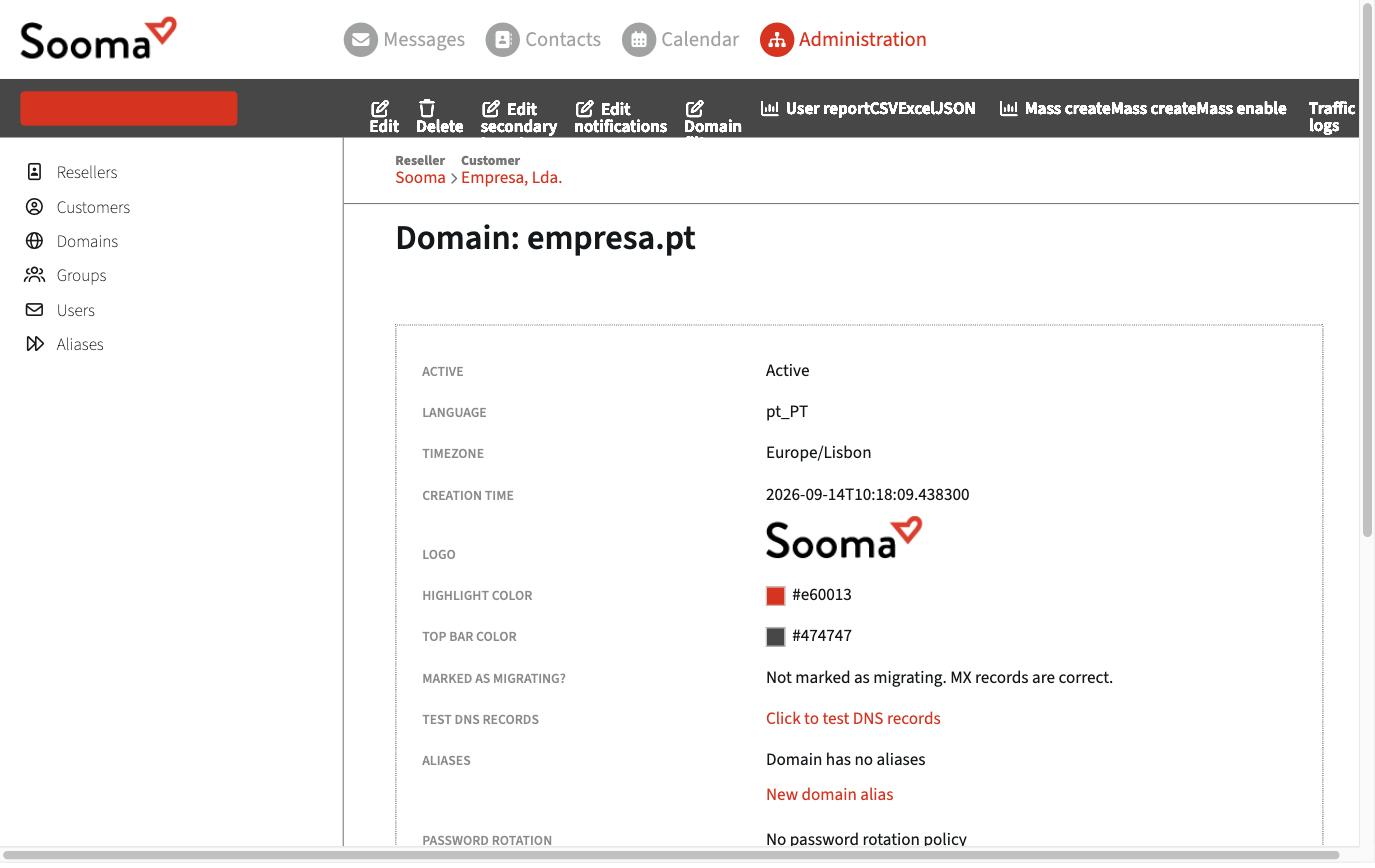
The administration console is where the service administrator manages the company's domains, mailboxes, aliases and groups. It opens from webmail, under the Administration tab in the top bar, which only appears to users with administration privileges.
Administration levels
Each mailbox can have one of these levels, set on the user's record:
| Level | What it can manage |
|---|---|
| None | Nothing. This is the level for normal users. |
| Own domain administrator | Their domain: users, aliases and groups in that domain. |
| Own customer administrator | All the customer's (company's) domains. |
| Own reseller administrator | All of a reseller's customers. |
The menu on the left only shows what your level allows: Customers, Domains, Groups, Users and Aliases.
What each area is for
- Domains — domain details, default language and time zone, webmail logo and colours, DKIM, DNS tests, domain aliases, password rotation and notifications. See Domains.
- Users — create, edit, disable and delete mailboxes; quota, privileges, webmail and POP3 access. See Users and groups.
- Aliases — addresses that deliver into other mailboxes, including distribution lists. See Distribution lists.
- Groups — sets of users, used in aliases and permissions.
On the domain page you will also find shortcuts for bulk operations: User report (list of users as CSV, Excel or JSON), Mass create (create many mailboxes from a list) and Mass enable, as well as Traffic logs, with the domain's message log.
Language
The console is currently only available in English, whatever language is chosen in webmail.