Identities and aliases
An identity is an address you can send messages from: the name the recipient sees, the address, the company and the signature. An alias is an additional address that delivers to your mailbox (for example, sales@company.com arriving in anna.roberts@company.com's mailbox).
See your identities
Open Preferences > Identities. The list shows every address you can send from.
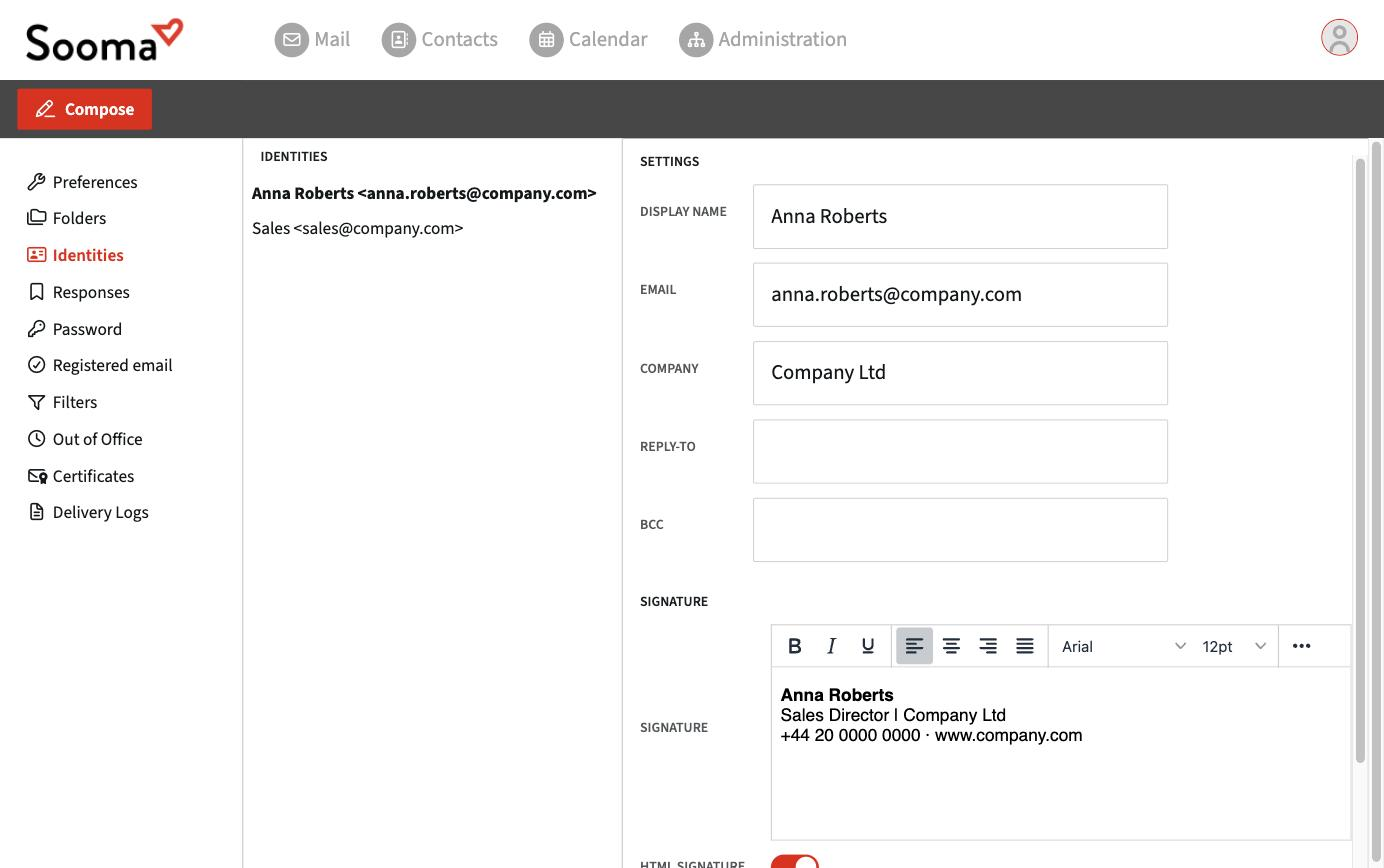
The Display name, Email, Company, Reply-To and Bcc fields are set by your company's service administrator and cannot be changed by the user. What you can change in each identity is the signature.
If you need to send from another address, or to correct the name recipients see, ask your company's service administrator or Sooma support. Aliases are managed in the administration console.
Send from another identity
When writing a message, choose the address in the From field. The signature changes automatically to the one for the chosen identity.
When you reply to a message received on an alias, webmail automatically chooses that alias's identity.