Change and recover your password
Change your password
- In webmail, open Preferences > Password.
- Type your Current password.
- Type the New password and repeat it in Confirm new password.
- Click Save.
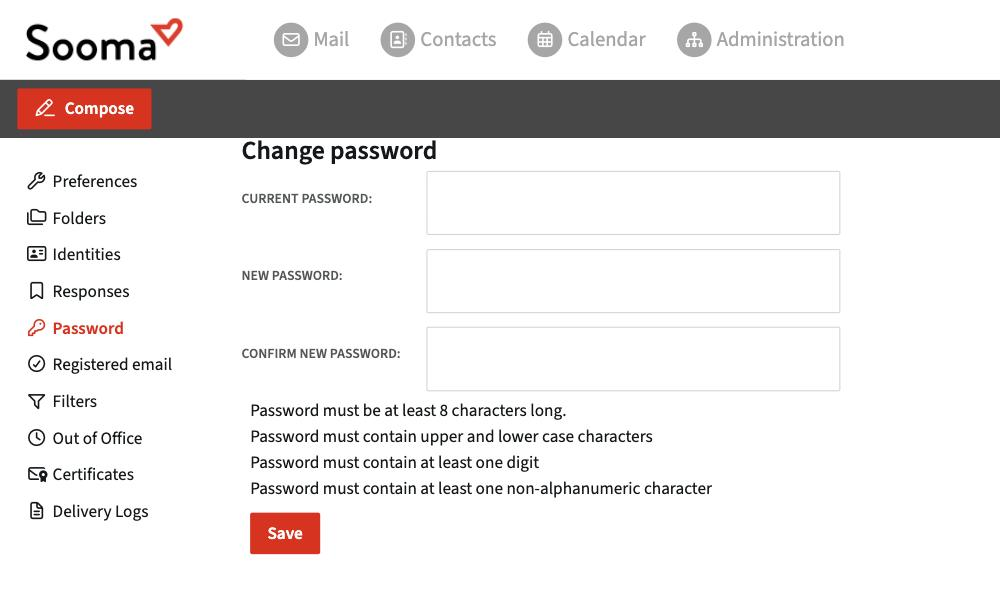
The new password must follow these rules:
- at least 8 characters;
- upper and lower case letters;
- at least one digit;
- at least one character that is neither a letter nor a number (for example
!,#or-).
Update your devices
After changing your password, update it in Outlook, on your phone and in every app where the mailbox is set up. An app with the old password keeps trying to sign in, fails, and stops sending and receiving.
Your company may require you to change your password periodically (for example every 3 months). In that case you receive email reminders before the deadline.
I forgot my password
On the webmail sign-in page, click Recover password and follow the instructions. Recovery uses the recovery email or phone set on your account.
If you have no recovery contact, ask your company's service administrator to set a temporary password for you. On first access you will be asked to change it. See First access.
Sooma only stores encrypted versions of passwords. Nobody, neither support nor the administrator, can see your current password.