How sync works (CalDAV/CardDAV)
Contacts and calendars are stored on the Sooma server, just like email. Apps and phones connect to it and keep a synchronised copy: whatever you change in one place appears in the others.
| Data | Protocol | Server |
|---|---|---|
| IMAP / SMTP | mail.sooma.com | |
| Calendars | CalDAV | mail.sooma.com (port 443, HTTPS) |
| Contacts | CardDAV | mail.sooma.com (port 443, HTTPS) |
The username and password are the same as for email: your full address and your password.
Guides by app
- iPhone & iPad — contacts and calendars
- Android — contacts and calendars
- Outlook (Windows) — contacts and calendars
- Thunderbird — contacts and calendars
Access to a specific calendar
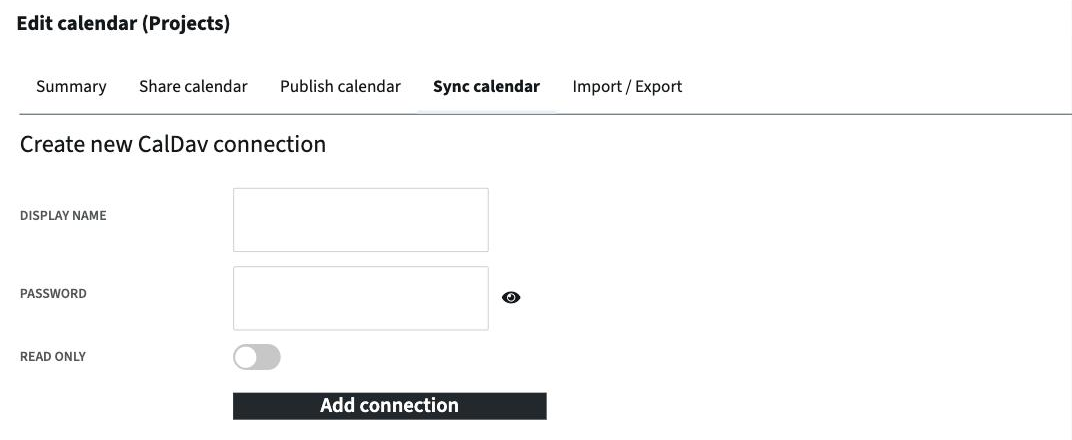
In webmail, under Calendar, each calendar has a Sync calendar tab (pencil next to its name). There you can create a CalDAV connection just for that calendar, with its own name and password and, if you wish, Read only. It is useful to give an app or another person access to one calendar without sharing the mailbox password.
If sync is not working
- Check that the username is your full email address and that the password is the current one. After changing your password, you must update it on every device.
- Check that the server is mail.sooma.com and that the connection uses SSL/HTTPS.
- Some apps only sync every so many minutes. Force a refresh or wait.
- If it still does not work, open a ticket stating the app and its version.