Webmail tour
Sign in at https://mail.sooma.com (or the webmail address your company uses) with your full email address and your password.
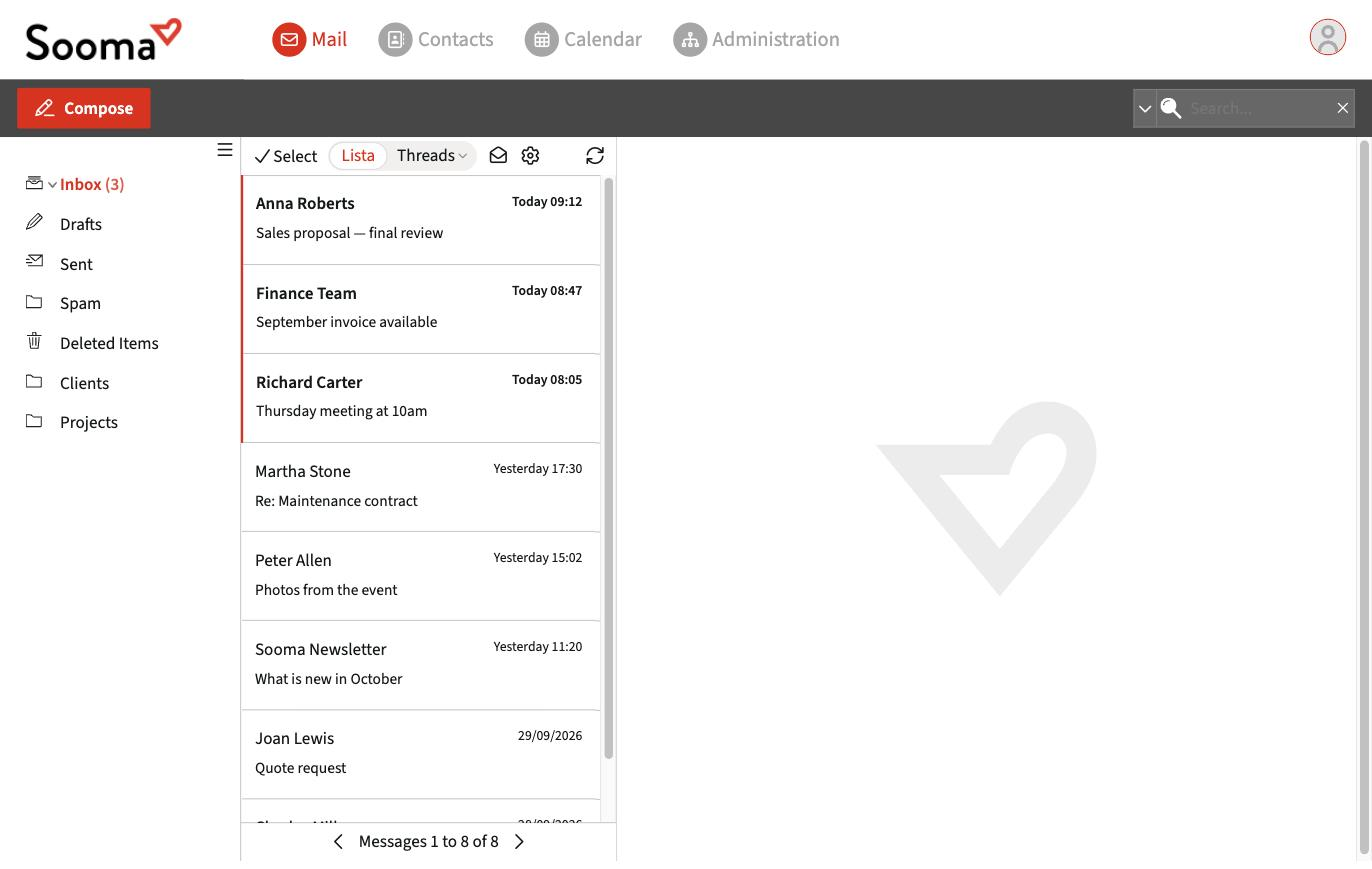
Top bar
- Mail — your email.
- Contacts — your address books. See Manage contacts.
- Calendar — your calendars and events. See Calendars.
- Administration — only shown to service administrators. See Administration console.
- User menu (icon on the right) — access to Preferences and Log out.
Mail screen
- Compose — write a message. See Compose, reply and attachments.
- Folders, on the left — Inbox, Drafts, Sent, Spam, Deleted Items and the folders you create. See Folders.
- Message list, in the centre — unread messages are shown in bold. At the top you can switch between List and Threads (messages grouped by conversation).
- Preview, on the right — shows the selected message.
- Search, at the top right. See Advanced search.
Preferences
In the user menu, Preferences brings together the mailbox settings:
| Section | What you set |
|---|---|
| Preferences | Language, time zone, date and time format, message display and composition |
| Folders | Create, rename and delete folders |
| Identities | Signatures for your addresses |
| Responses | Predefined texts to insert into messages |
| Password | Change your password |
| Filters | Rules and filters |
| Out of Office | Automatic replies |
| Certificates | S/MIME digital certificates to sign and encrypt |
| Delivery Logs | Track your messages |