Quotas and permissions
All these settings are on the user's record: Users > user > Edit.
Quota
The Quota field sets the mailbox plan and, with it, the space available. The plans you can choose depend on the products enabled on the domain (Resources section of the domain page).
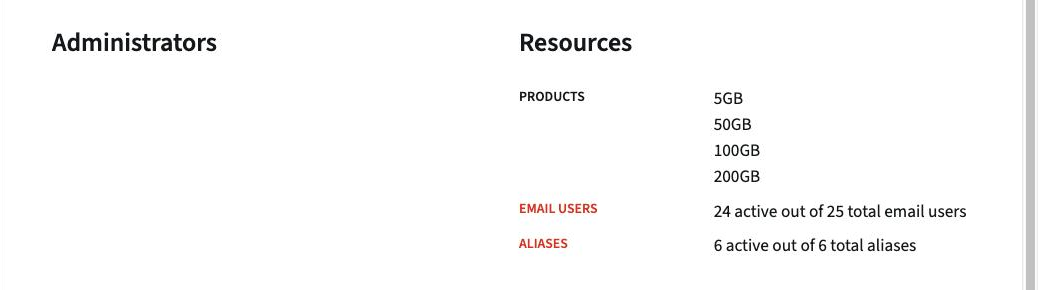
When editing the domain, under Product quotas, each product can be disabled, enabled without a limit, or enabled with a maximum number of mailboxes.
Quota warnings
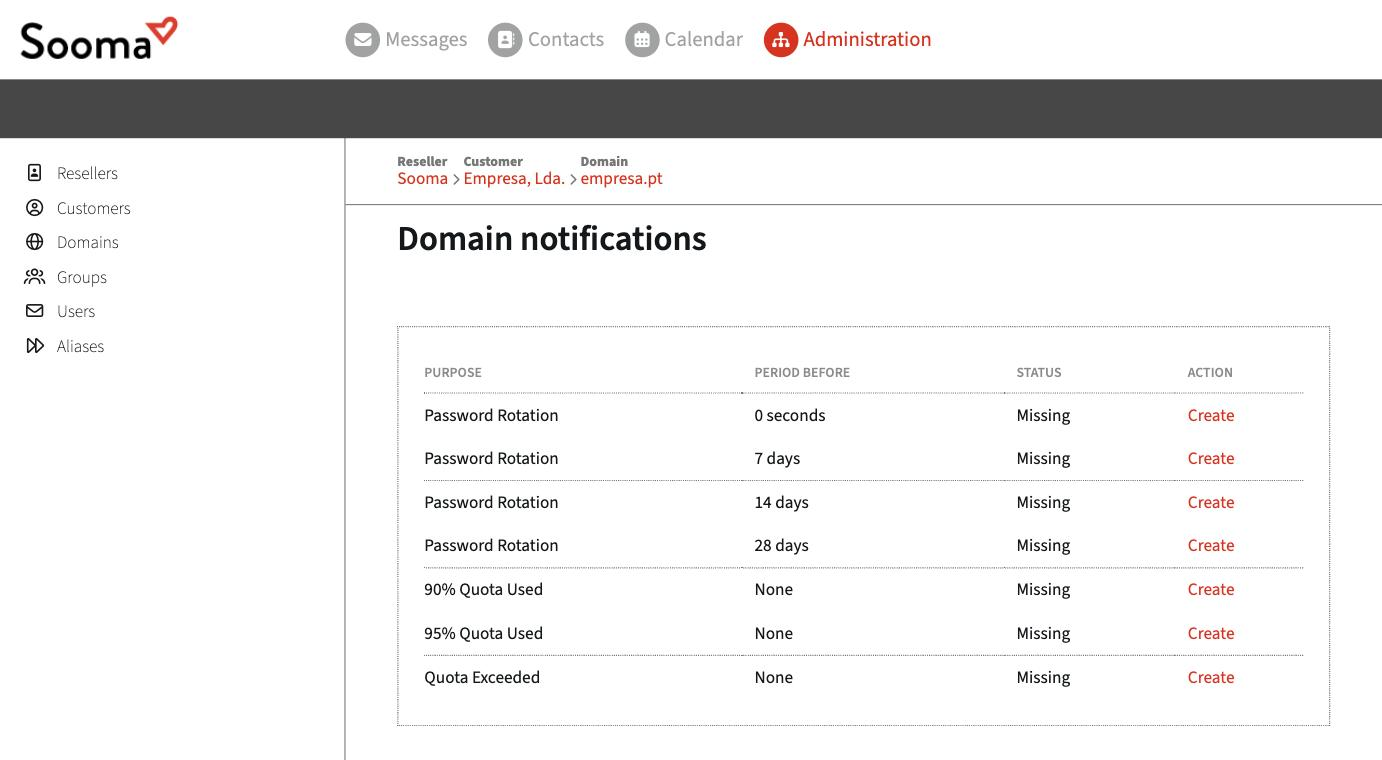
Under Edit notifications (domain page) you can enable automatic warnings when a mailbox reaches 90 % and 95 % of its quota, and when the quota is exceeded. Click Create on the row of the warning you want to enable.
Administration privileges
| Value | Effect |
|---|---|
| None | Normal user. |
| Own domain administrator | Manages users, aliases and groups in their domain. |
| Own customer administrator | Manages all the company's domains. |
| Own reseller administrator | Manages all the reseller's customers. |
Only give privileges to those who need them, and prefer the lowest level that does the job.
Access
- Webmail enabled — allows or prevents access through the browser.
- POP3 enabled — POP3 is off by default. Only turn it on if the user really needs it; IMAP is better because it keeps everything in sync.
- Outbound volume — normal or large. Keep normal unless support advises otherwise.