Meeting invitations
Create an event
- Click New event, or click directly on the day and time you want in the calendar.
- On the Summary tab, fill in the Title, Start and End, Location and Description. Switch on All day for events without a time.
- Choose which calendar the event is saved in.
- Click Save.
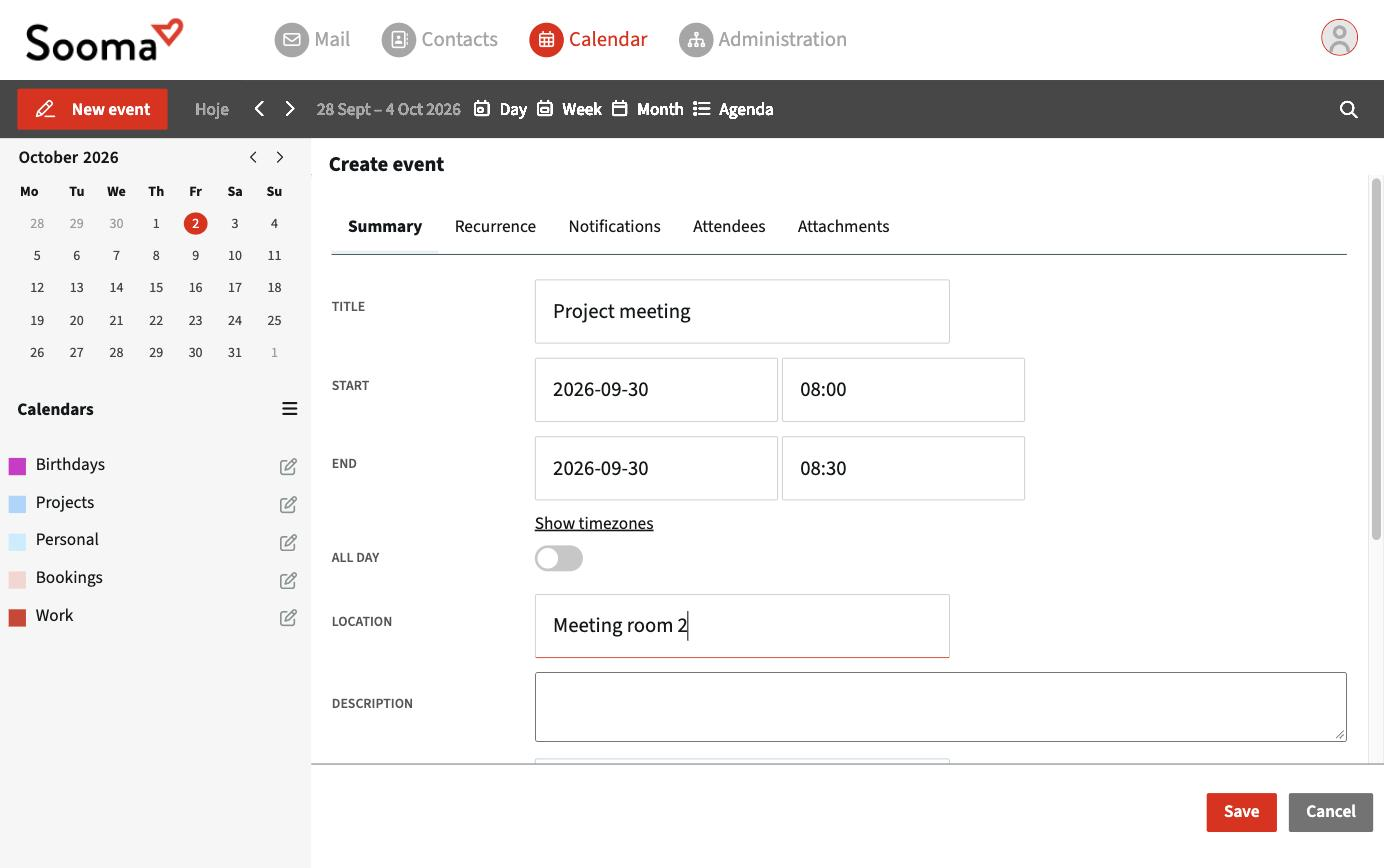
On the other tabs:
- Recurrence — repeat the event (daily, weekly, monthly…) until a date or a number of times.
- Notifications — get a reminder before it starts.
- Attachments — add files to the event.
Invite attendees
- In the event, open the Attendees tab.
- Type the attendee's email and click Add Attendee.
- Choose the Role (for example Required or Optional) and keep Notify on so that the invitation is sent by email.
- Click Save. The attendees receive the invitation.
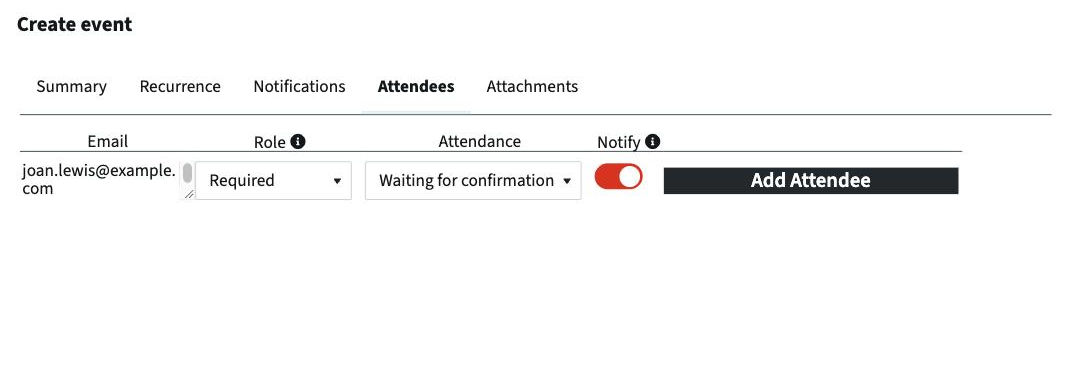
The Attendance column shows each attendee's response (Waiting for confirmation, accepted, declined, tentative) and updates when they reply.
Reply to an invitation
Invitations arrive by email, with the event attached (an .ics file). When you accept, the reply is sent to the organiser and the event is added to your calendar.
Invitations work with attendees on any service (Outlook, Google, Apple), because they use the iCalendar format.