Organisation: folders and labels
System folders
Every mailbox has five folders that cannot be deleted:
| Folder | What it is for |
|---|---|
| Inbox | Received messages. |
| Drafts | Messages saved but not yet sent. |
| Sent | A copy of everything you send. |
| Spam | Messages classified as unwanted. See Spam. |
| Deleted Items | Deleted messages, until you empty the folder. |
Create a folder
- Open Preferences (in the user menu, top right) and choose Folders.
- Click Create.
- Enter the Folder name and, to create it inside another folder, choose the Parent folder.
- In List view mode, choose List (individual messages) or Threads (grouped by conversation).
- Click Save.
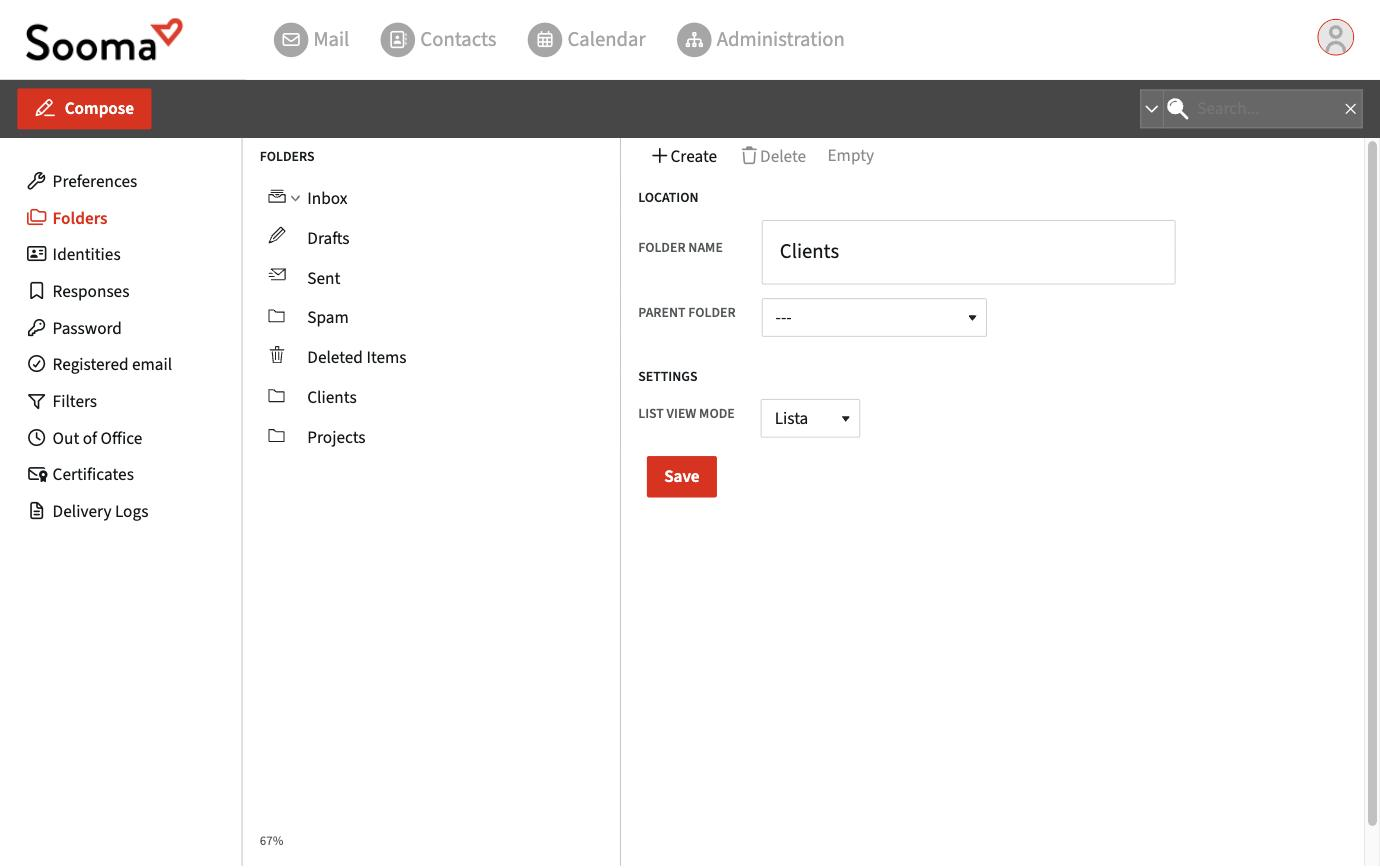
On the same page you can delete a folder, empty it, or subscribe/unsubscribe. An unsubscribed folder still exists on the server but no longer appears in the list.
Folders you create in webmail also appear in every app connected via IMAP (Outlook, Apple Mail, phone), and vice versa.
Move messages
- Drag the message onto the folder in the left-hand column; or
- Open the message and use ⋮ > Move to… (or Copy to… to keep the original).
To file messages automatically as they arrive, create a filter.
Flag and mark messages
Webmail does not use colour labels. To highlight messages, use flags: open or select the message and choose Mark > As flagged. From the same menu you can mark messages as read or unread.
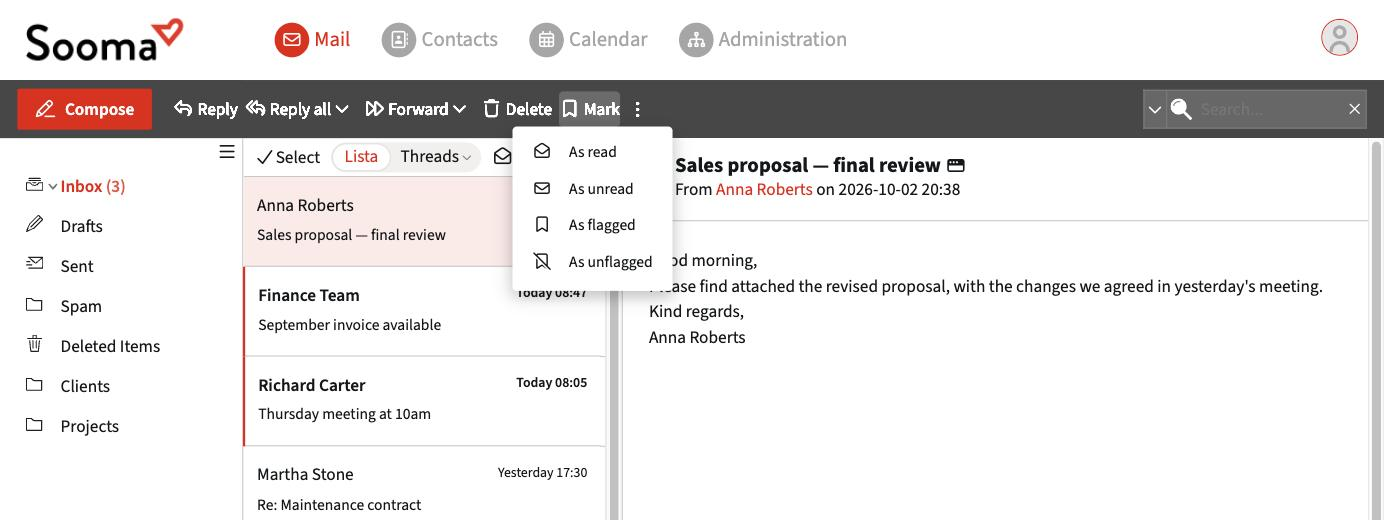
Flagged messages can then be found with search, choosing the type Flagged.